> ## Documentation Index
> Fetch the complete documentation index at: https://docs.penbox.io/llms.txt
> Use this file to discover all available pages before exploring further.
# Reset your Brio/Penbox connection
> Restore the connection between Brio and Penbox if it has stopped working.
**Goal:** Restore the connection between Brio and Penbox if it has stopped working.
When your Penbox account was set up, Penbox established the connection between Brio and Penbox on your behalf. However, this connection can occasionally break and needs to be re-established.
Follow this process if you notice that your **"mise à jour de la fiche client" / "klantenbestand update"** forms are no longer being sent from Brio, or that you can no longer see form responses in Brio.
Go to **Brio**.
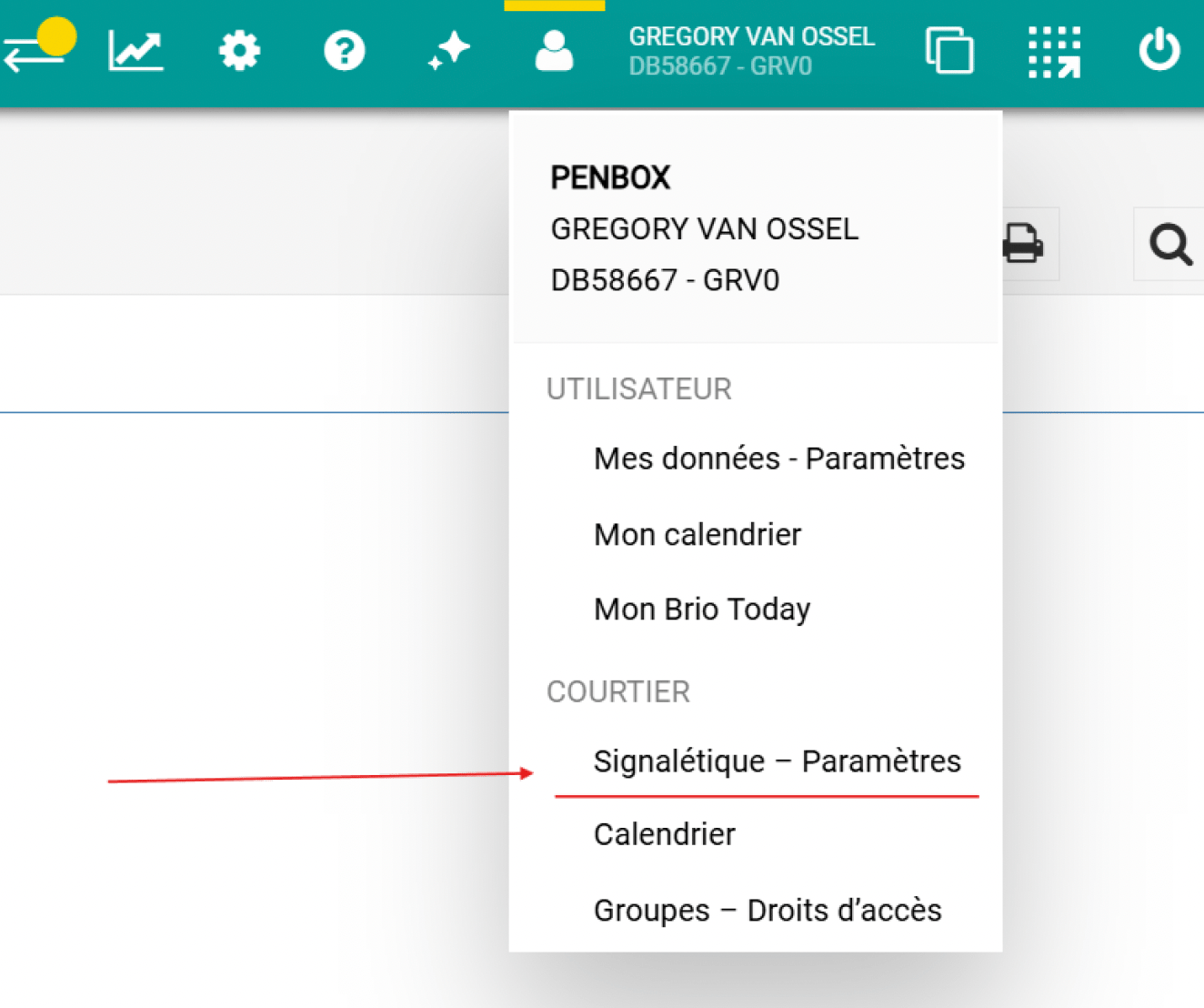
Click on the **profile icon** (the person icon).
Click **"Signalétiques - Paramètres"** / **"Signaletiek - Parameters"**.
Click **"Signalétiques - Paramètres"** / **"Signaletiek - Parameters"**.
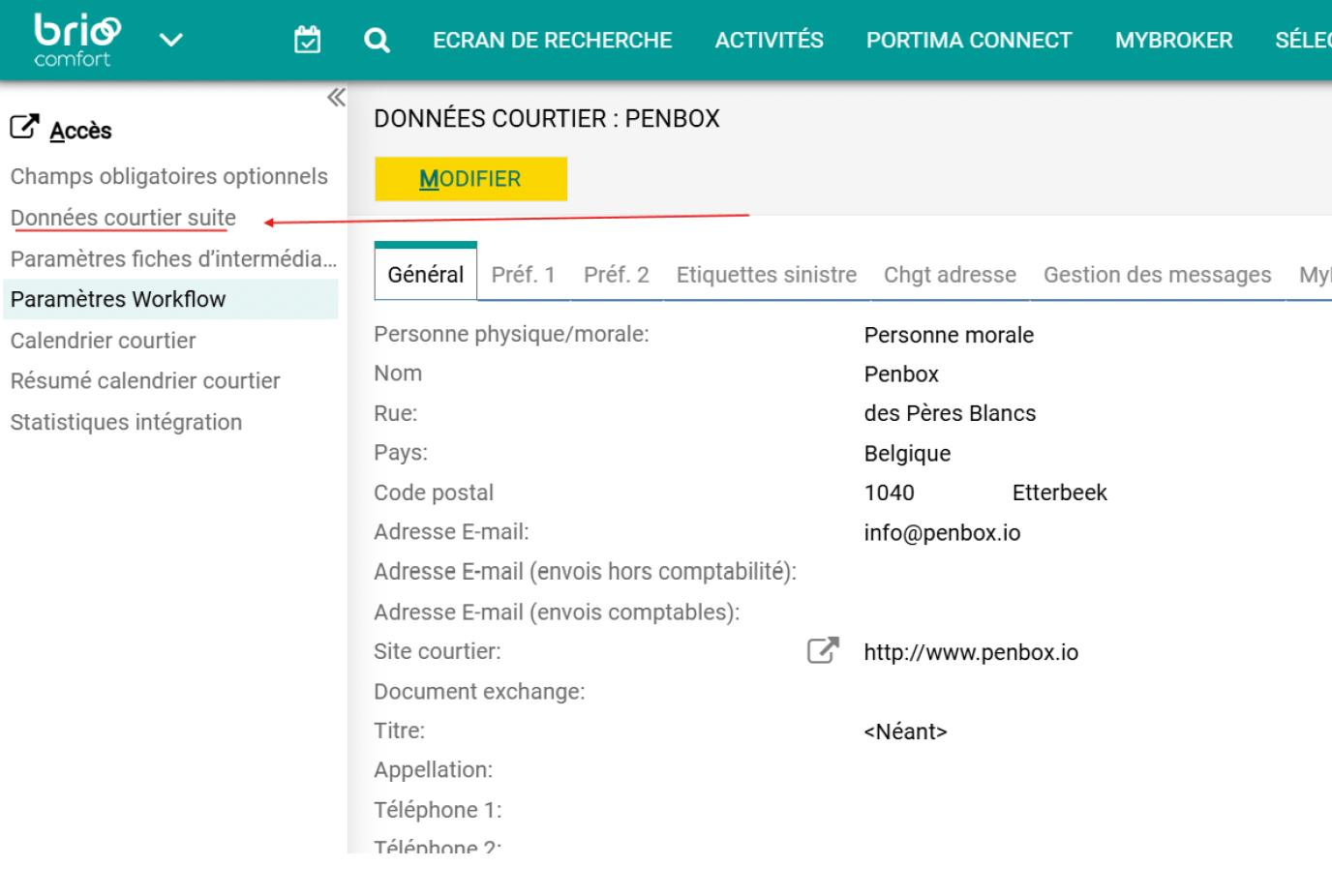
 Click **"Données courtier suite"** / **"Makelaarsgegevens suite"**.
Click **"Données courtier suite"** / **"Makelaarsgegevens suite"**.
Click **"Données courtier suite"** / **"Makelaarsgegevens suite"**.
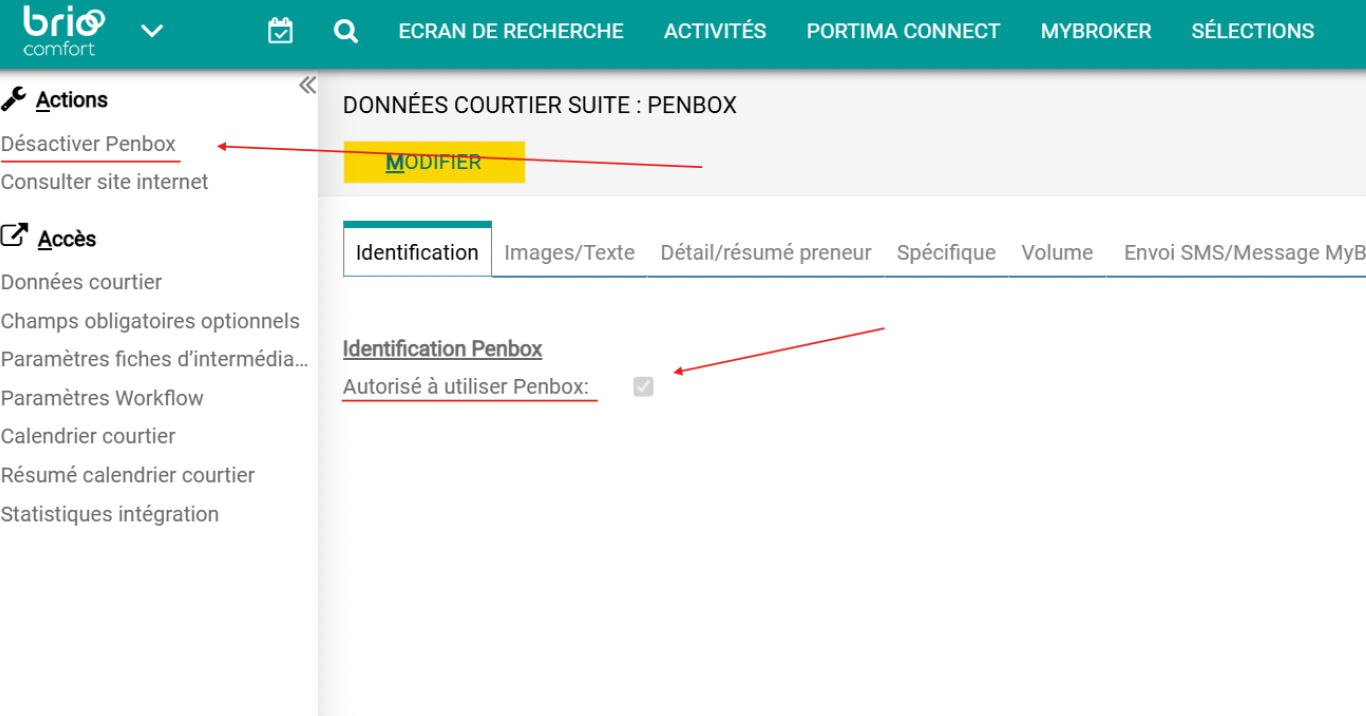
 Click **"Désactiver Penbox"** / **"Penbox deactiveren"**.
Click **"Activer Penbox"** / **"Penbox activeren"**.
Click **"Activer Penbox"** / **"Penbox activeren"**.
Click **"Désactiver Penbox"** / **"Penbox deactiveren"**.
Click **"Activer Penbox"** / **"Penbox activeren"**.
Click **"Activer Penbox"** / **"Penbox activeren"**.
 The connection between Brio and Penbox is now restored.
***
## What's next?
Trigger a client-file update from Brio and import the response back.
Send bulk client update requests using Brio export files and Penbox Campaigns.
The connection between Brio and Penbox is now restored.
***
## What's next?
Trigger a client-file update from Brio and import the response back.
Send bulk client update requests using Brio export files and Penbox Campaigns.