

FormsSecurityBranding
Embed forms securely in your website
You can now embed forms directly into your public website, customer zone, or application using an<iframe>. This lets your users complete forms and upload documents without ever leaving your product, keeping their experience fully integrated and on-brand.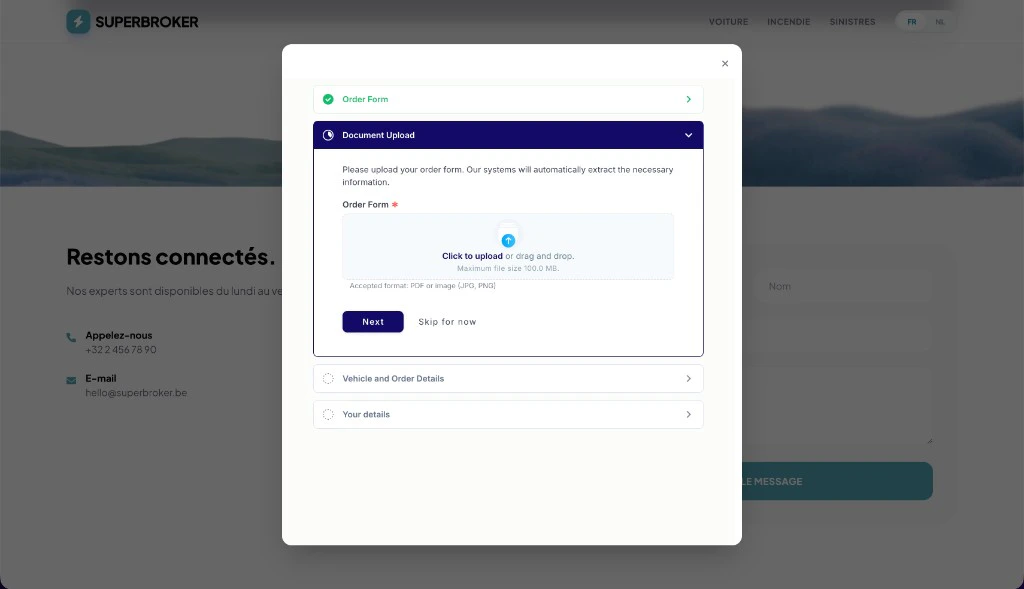
Double opt-in security
To protect your forms from unauthorized embedding, we’ve implemented a strict double opt-in security model:- Workspace level. Admins can declare allowed parent origins in Settings > Branding under Allowed parent origins.
- Form level. Toggle Embedding on for individual form templates to specify exactly which forms can be embedded.
A tailored embedding experience
We’ve built several options to ensure the embedded form feels like a natural part of your site:- Hiding the navigation. Automatically hide the top navigation bar and adjust the layout for a compact frame.
- Auto-starting forms. Skip the welcome page to let users start filling out the form immediately.
- Lifecycle communication. Listen to events from the form so your site knows when it has loaded (
ready) and when the user finishes (completed).
Custom background color
You can now configure a custom Background color in your workspace Branding settings. This color applies exclusively when forms are loaded in embed mode, making it easy to match the background to your site’s design.Read our Embedding guide → to learn how to set up and integrate forms on your website.CasesRemindersAI
AI-drafted reminders for your case steps
When a step is waiting on a contact, you can now add follow-up reminders in a click. Penbox drafts the subject and body from the case context, you review and edit, and each reminder goes out on the schedule you set.Draft with AI, send on your schedule
Open the reminders on any pending form step, generate a draft, and adjust the wording before it sends. Set the delay in days or weeks and edit the schedule at any time directly from the step.Reminders that know when to stop
Reminders on a form that’s already completed or archived are automatically marked Ignored and skipped, so a contact never gets chased for something they’ve already done.Or just ask the agent
On a case that’s already in progress, ask Penbox Agent to add a reminder on a sent step and it schedules it for you.AIAgentCases