

What you’ll build
When you finish, you will have a fully functional Document Intelligence template that:- Uses Penbox Intelligence to validate uploads against criteria you write in plain language, so bad or irrelevant files are caught early
- Extracts a strict schema of typed values (text, number, date, or list) you can reuse in cases, forms, and automations — not loose blobs of text
- Ships with a verified test run: you have already seen validation, confidence, and field-level results on a real sample
1
Open Document Intelligence
In your Penbox workspace, open Templates in the sidebar, then choose Document Intelligence.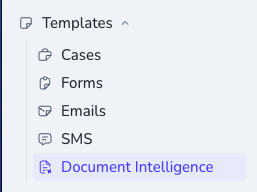
2
Create a new template
Click + New. Give your template a name that will read clearly in your workspace — for this example, use RIB extraction — then click Create.
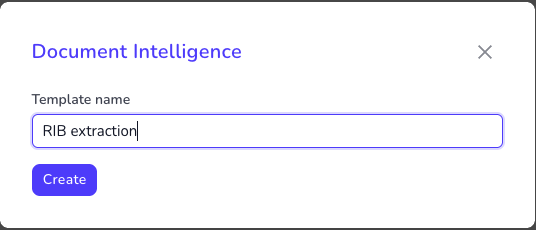 The editor keeps configuration and Try it in one place, so you can define the template and prove it on a sample file without switching context.
3
Set validation criteria
Under Validation, tell Penbox Intelligence what must be true for this document type. That grounds extraction: the model checks the file against your rules before you trust the fields.For our RIB example, you might use:A RIB is valid if it contains the following fields: bank name, bank logo, IBAN account number, bank account holder.
4
Add fields to extract
Under Fields to Extract, click + Add field for each value you want from the document. For each field: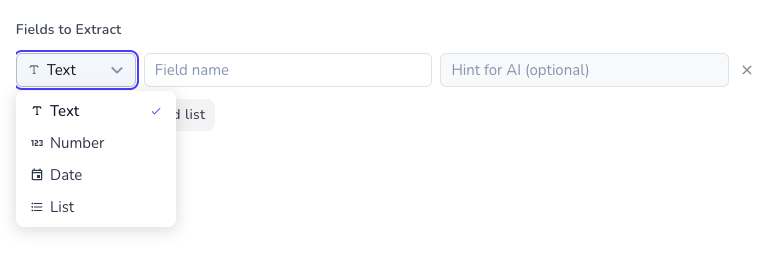
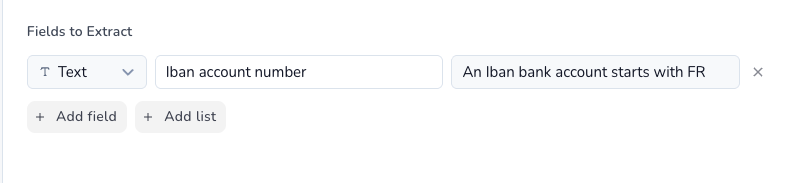 Repeat for every field your template must output. For the RIB walkthrough, add four text fields and hints like below — then open Configure and confirm the full schema matches what you want in production.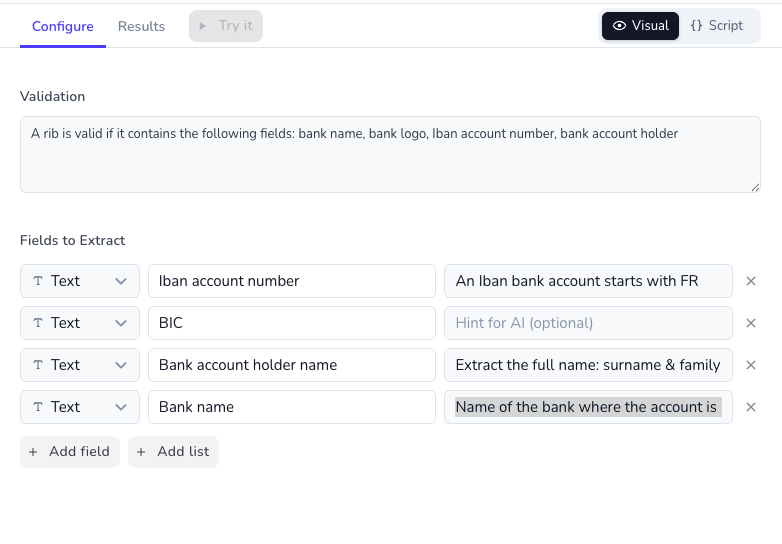
- Choose a type — Text, Number, Date, or List. Penbox Intelligence returns values in that shape, so downstream steps and APIs stay predictable.
- Name the field — mirror the wording on the document when you can (e.g. IBAN account number) so the model anchors on the right region.
- Add an optional hint — steer the model when the layout is ambiguous (e.g. for French IBANs: An IBAN bank account starts with FR).
5
Upload a test document
On the left, under Test Document, upload a representative file (PDF, JPG, or PNG). Here we use a sample RIB; for your own template, pick a file that matches the document type you described in validation.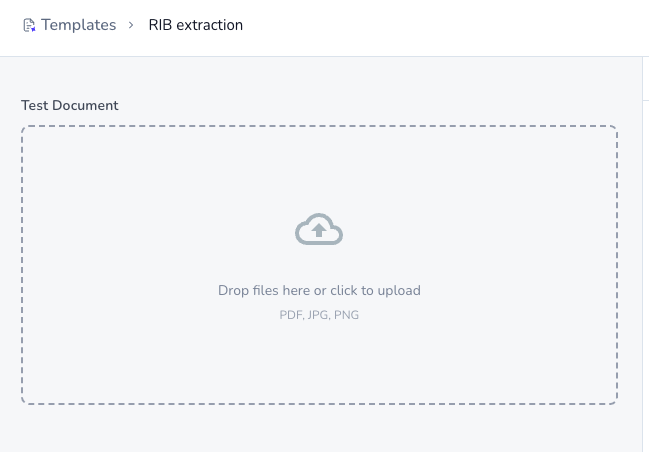
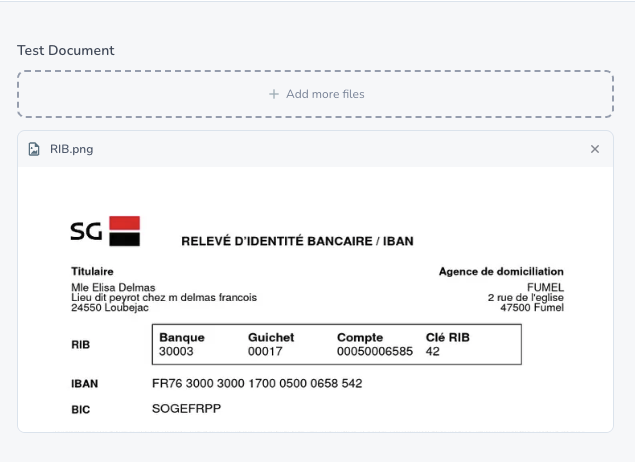
6
Run the extraction and review results
With your test file in place, click Try it to run Penbox Intelligence end-to-end on that upload. After you tweak validation or fields, use Retry to re-run without leaving the editor.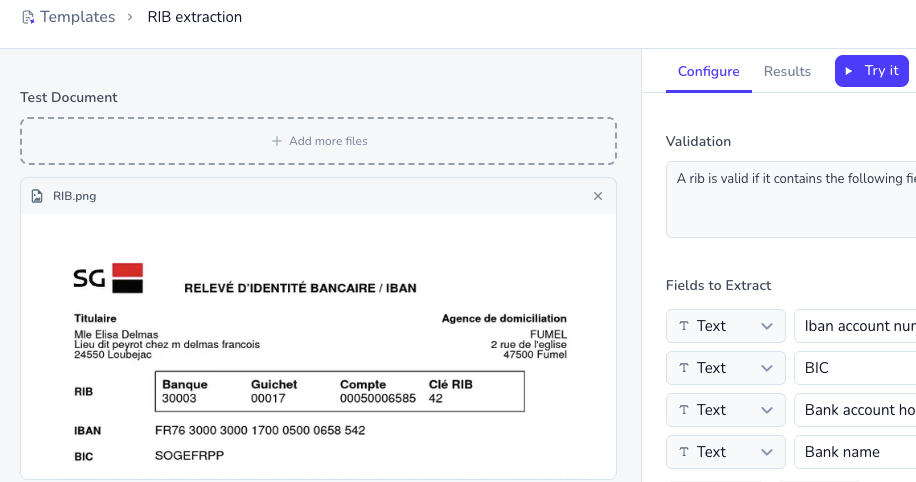 Open the Results tab: you get a validation verdict, image-quality signal, and each extracted value with confidence — the same signals your live flows can rely on once the template is attached to a File element.
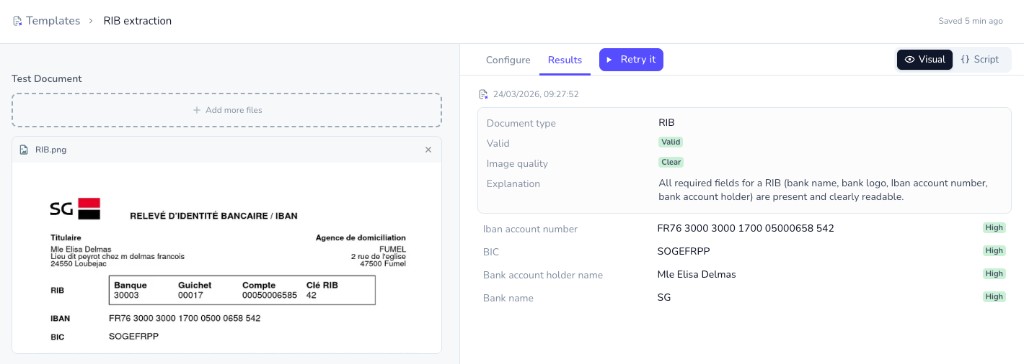 If the output matches the source document, your template is ready to ship. If not, iterate in Configure — tighter validation, clearer field names, and sharper hints usually close the gap in one or two cycles.
You’re done
You have built and battle-tested a Document Intelligence template on Penbox Intelligence: human-readable validation, a strict extraction schema, and proof from a real upload. Swap the RIB for any document class you need — the workflow is the same, and the template is ready to plug into your Penbox flows.What’s next?
Document Intelligence API
Create or update templates programmatically via Pen Connect.
Product changelog
See how Document Intelligence fits into recent Penbox releases.