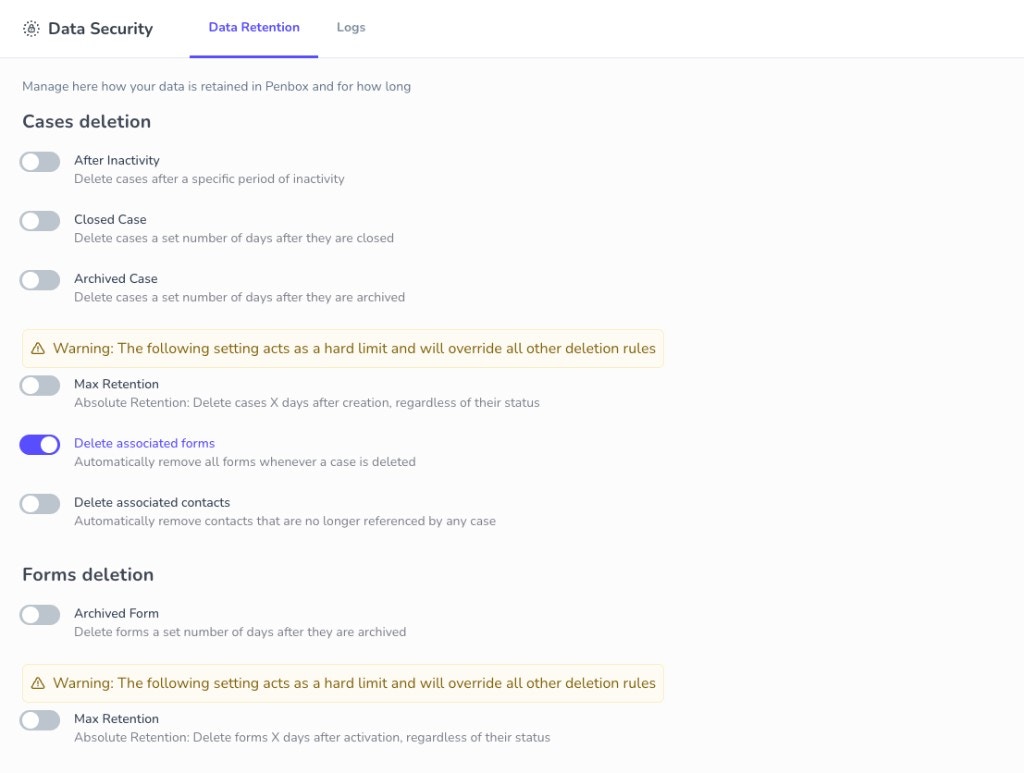
Data Security settings control how long your data is retained in Penbox and provide a complete audit trail of all deletions. Access them from Settings → Data Security in the app. Data Retention settings in Data Security

Data Retention Settings

You can define granular data retention and lifecycle settings for both cases and forms. Each rule can be enabled independently and configured with a retention period in days.

Cases Deletion

RuleDescription
After InactivityDelete cases after a specific period of inactivity
Closed CaseDelete cases X days after they are closed
Archived CaseDelete cases X days after they are archived
Max RetentionAbsolute limit: delete cases X days after creation, regardless of status. Overrides all other rules.

Forms Deletion

RuleDescription
Archived FormDelete forms X days after they are archived
Max RetentionAbsolute limit: delete forms X days after activation, regardless of status. Overrides all other rules.

Cascade Options

When a case is deleted, you can optionally:
  • Delete associated forms — Automatically remove all forms linked to the case
  • Delete associated contacts — Remove contacts that are no longer referenced by any case
Max Retention acts as a hard limit and overrides all other deletion rules. Use it carefully.

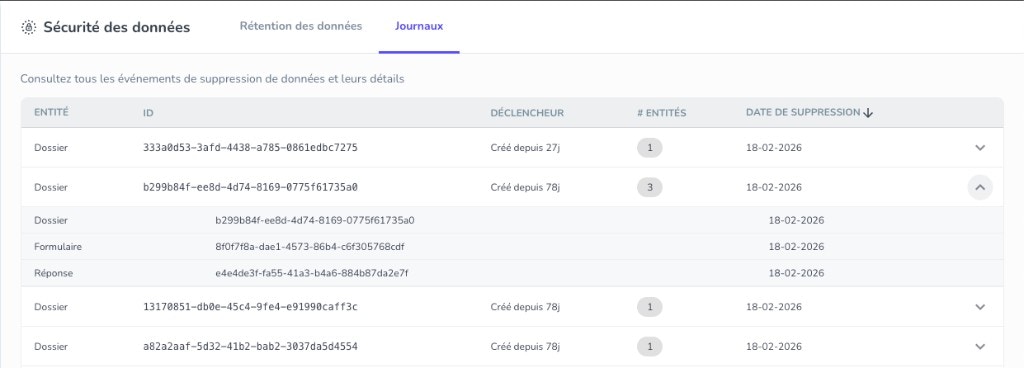
Data Deletion Audit Log

The Logs tab in Data Security shows every deletion event with full traceability:
  • What was deleted (cases, forms, attachments, contacts)
  • When it was deleted
  • Which rule triggered it (inactivity, closed, archived, max retention)
  • How many entities were affected (including cascaded deletions)
Use the audit log for compliance reviews, internal audits, and understanding exactly how retention rules are applied across your workspace. Data deletion audit log showing deletion events