

Build your form
1
Open your workspace
Go to your Penbox workspace.
2
Go to Templates
Click Templates in the left-hand navigation.
3
Open Forms
Click Forms.
4
Create a new template
Click Create template.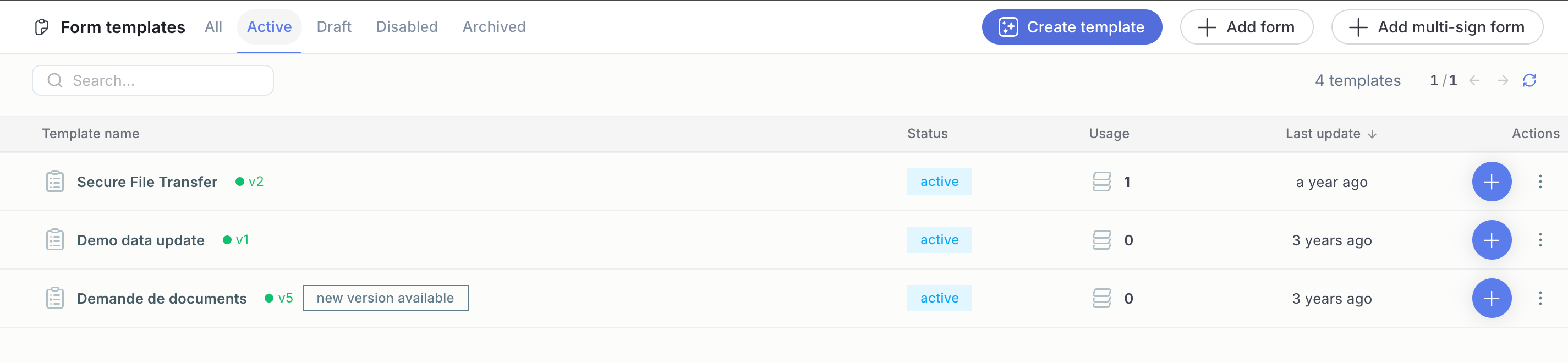
5
Name your form
Choose a name for your form, then click “Create a form”.
6
Open the Assistant
Start building your form with the help of the Penbox Agent by clicking Assistant.
7
Describe your form
In the chat, describe the form you want the assistant to build for you — or upload a PDF of an existing form you want to digitalise.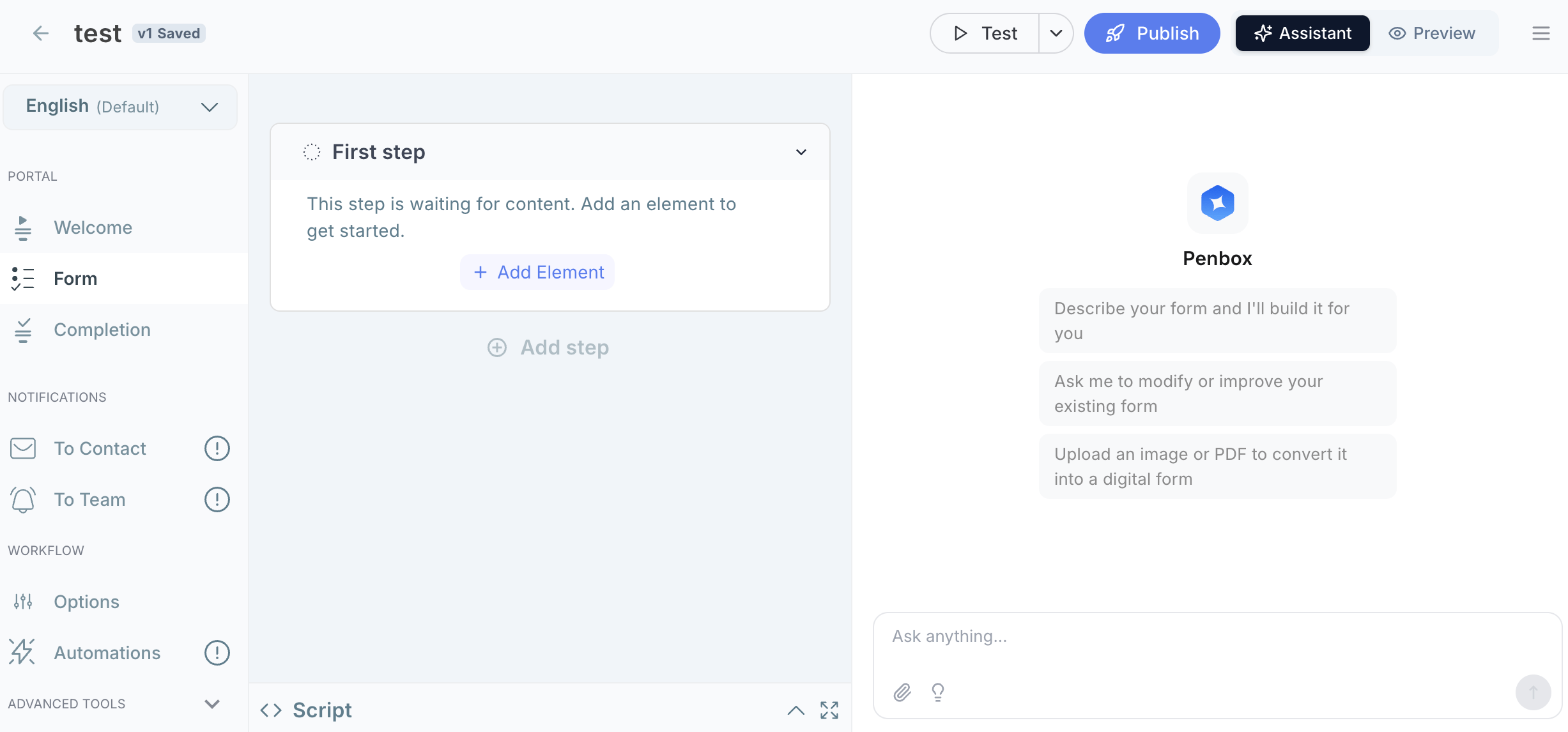
8
Review and undo if needed
The assistant will describe each action it takes in the form. If any action does not suit you, click Undo next to that action.
9
Iterate until it's right
Go back and forth with the assistant in the chat until the form matches your needs 100%.
10
Check all tabs
Browse through all the form tabs — Welcome page, Form, Completion page, Notifications to contact, and Notifications to team — to verify the result.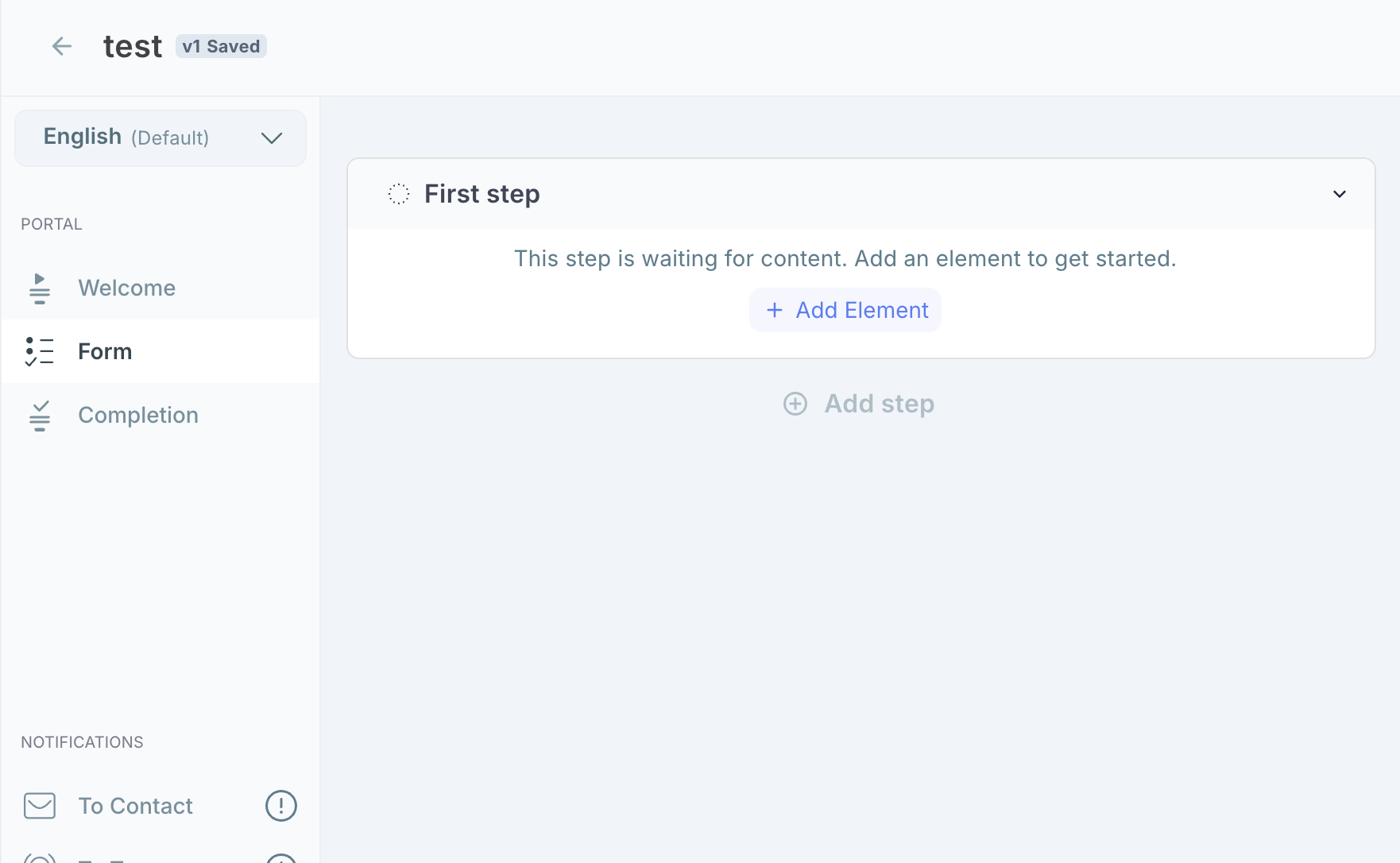
11
Publish
Once you are happy with the result, click Publish.
What’s next?
Form Notifications
Configure the invitation and reminder emails your contacts receive.
Form Templates
Learn more about how form templates work in Penbox.