

Watch the walkthrough
Prefer to watch first? Pick your language.- Français
- Nederlands
What you’ll build
By the end, you will have run a complete client-update round-trip that:- Sends an update form to an individual client directly from their Brio client file
- Invites the client (with reminders, where appropriate) to verify, complete, or correct their information through a questionnaire
- Imports the response back into Brio, letting you choose field by field which new values to keep
Send a client-update form
1
Open the client in Brio
Go to Brio and search for the client you want to send a client-file update form to.
2
Open Messages
Once you are on the client file, click the two arrows — Messages / Berichten.
3
Start a new form
Click envoyer une nouvelle demande / nieuw aanvraag versturen.
4
Start a new form
Click envoyer une nouvelle demande / nieuw aanvraag versturen.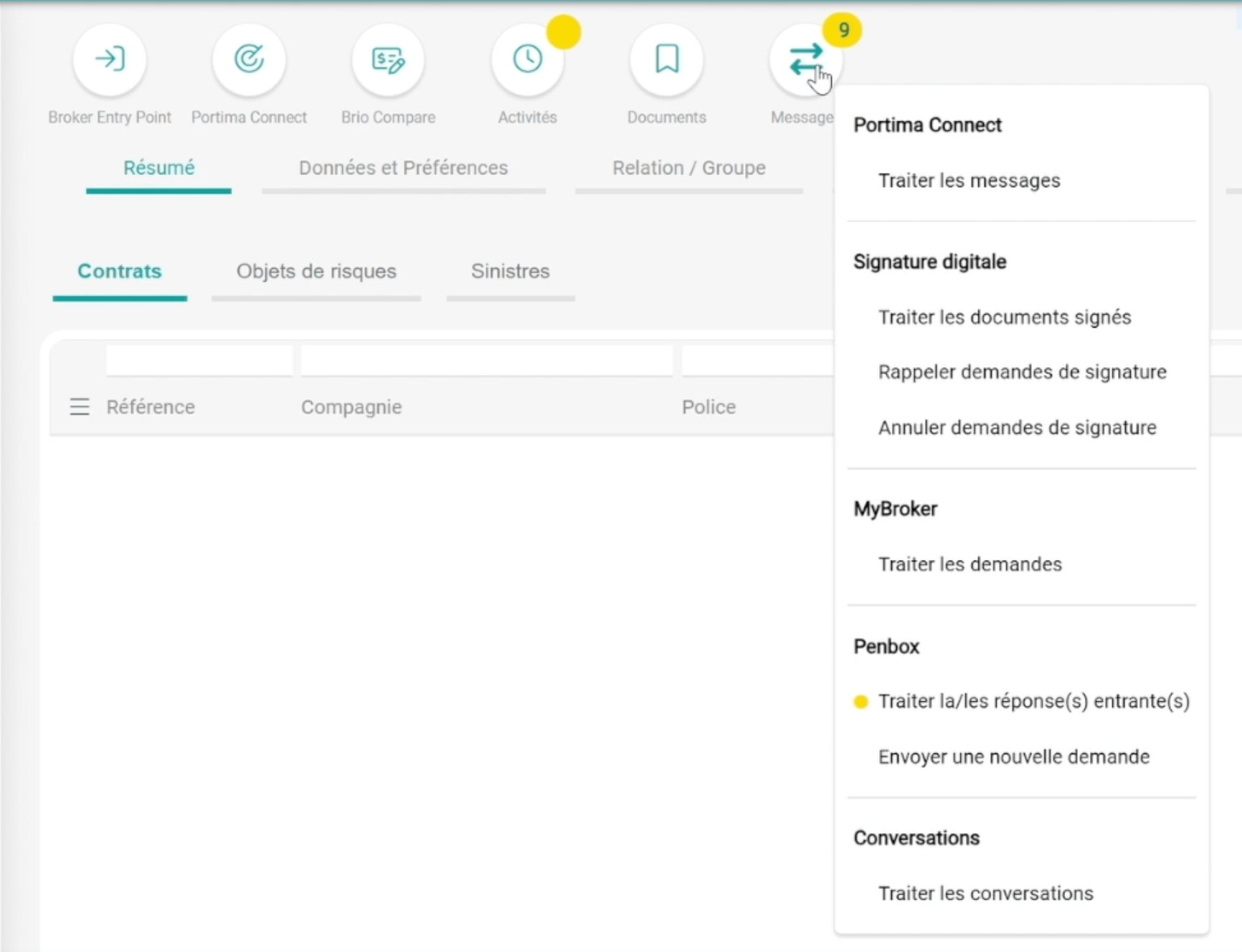
5
Check the recipient
You will see the contact details of the person the update form will be sent to. Confirm they are correct before sending.
6
Check the recipient
You will see the contact details of the person the update form will be sent to. Confirm they are correct before sending.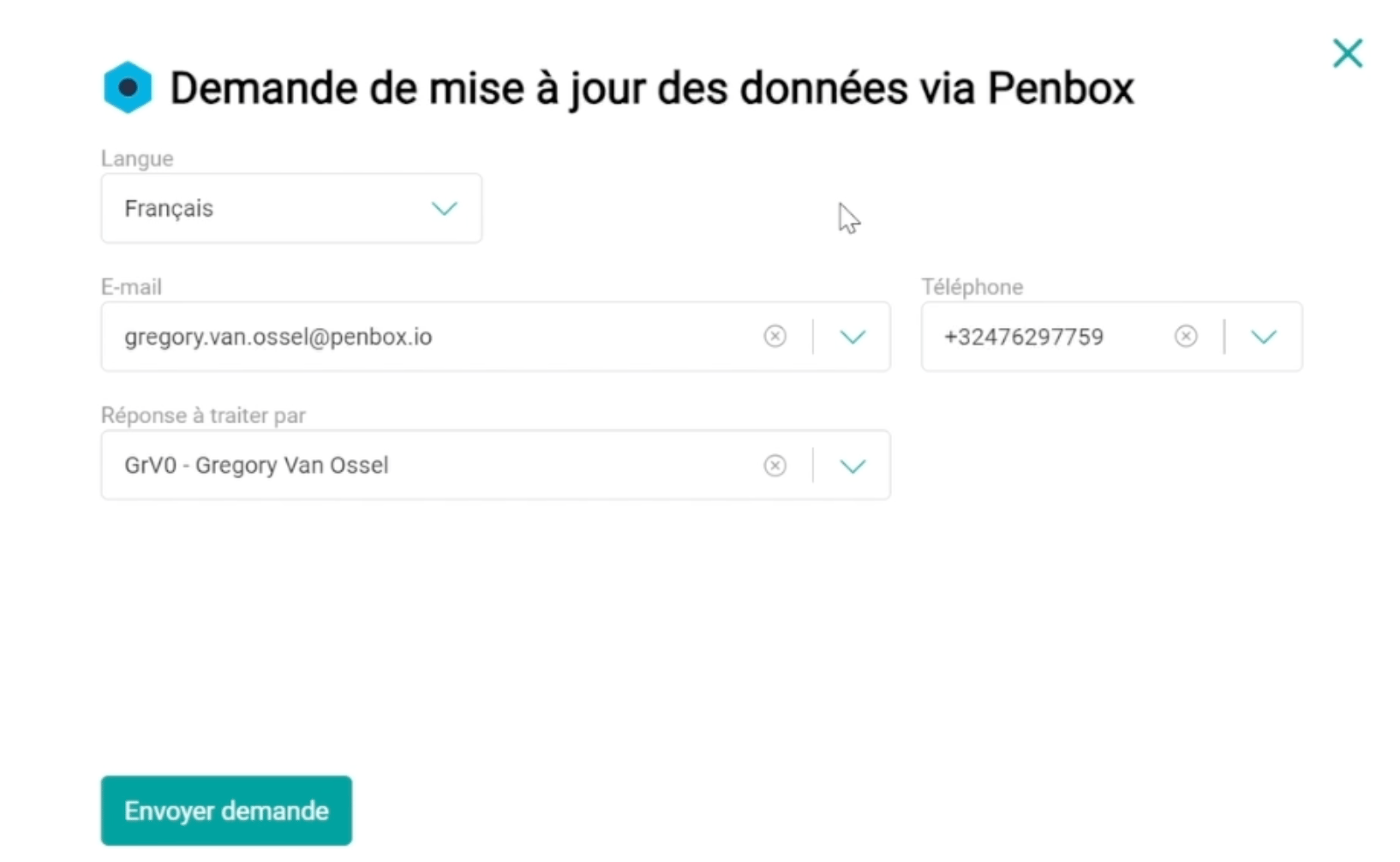
7
Send the form
Click envoyer demande / aanvraag versturen.Your client then receives an invitation — and reminders, where appropriate — inviting them to complete a questionnaire to verify, complete, or modify their client information.
8
Send the form
Click envoyer demande / aanvraag versturen.Your client then receives an invitation — and reminders, where appropriate — inviting them to complete a questionnaire to verify, complete, or modify their client information.
Integrate the client’s response
Once the client has completed their client-file update, import the response into Brio.1
Open Messages in Brio
Go to Brio and click the two arrows — Messages / Berichten.
2
Open Messages in Brio
Go to Brio and click the two arrows — Messages / Berichten.
3
Open incoming responses
Click traiter la / les réponse(s) entrante(s) / binnengekomen antwoord(en) behandelen. You will then see all the responses that have come in.
4
Open incoming responses
Click traiter la / les réponse(s) entrante(s) / binnengekomen antwoord(en) behandelen. You will then see all the responses that have come in.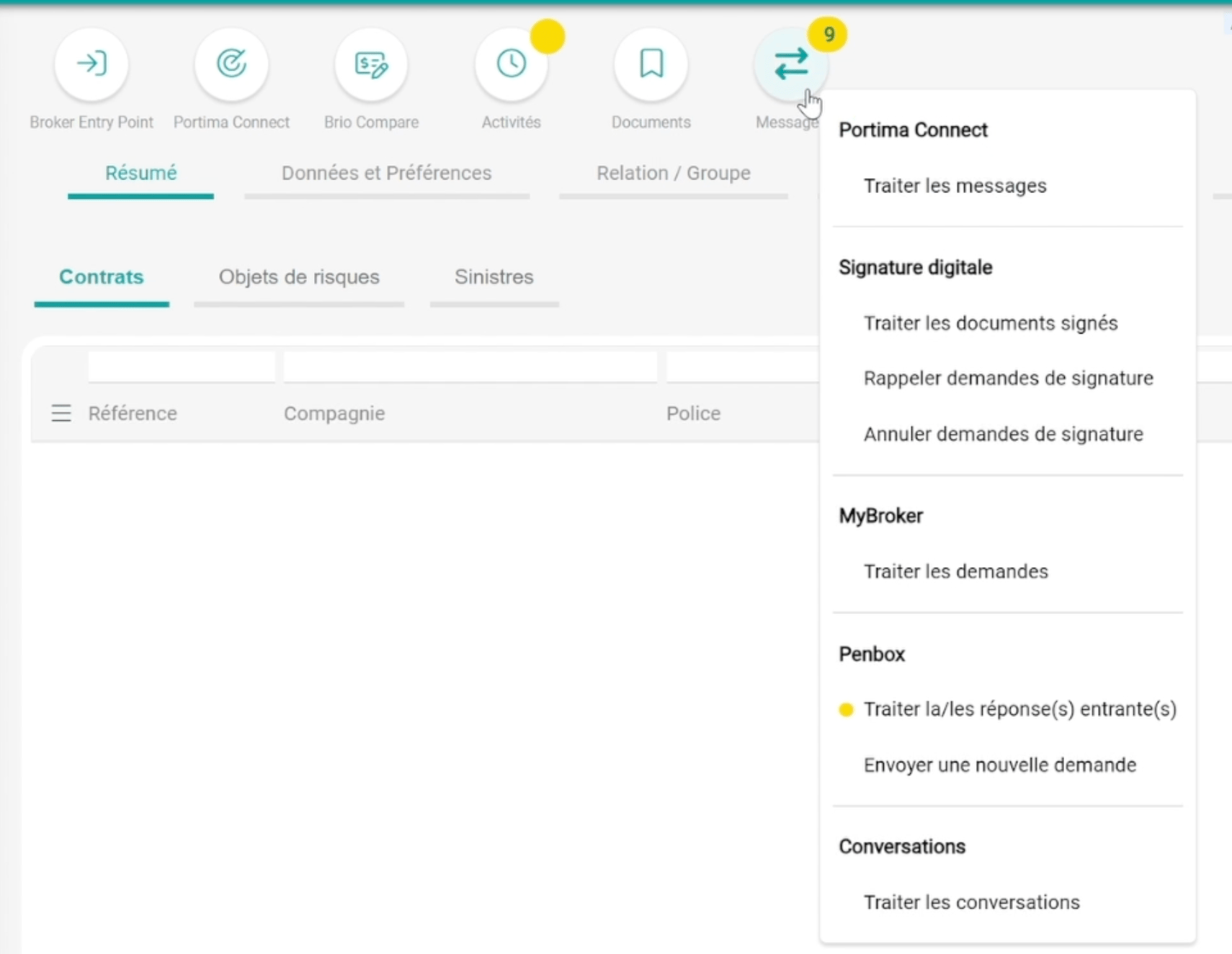
5
Select a response
Click the response you want to integrate.
6
Select a response
Click the response you want to integrate.
7
Compare and choose what to import
You will see a page with the original Brio values on the left and the new values submitted through the update form on the right. Select the responses you want to import — and leave out the ones you don’t.
8
Compare and choose what to import
You will see a page with the original Brio values on the left and the new values submitted through the update form on the right. Select the responses you want to import — and leave out the ones you don’t.
9
Save
Click enregistrer / opslaan to write the selected values back into the Brio client file.
10
Save
Click enregistrer / opslaan to write the selected values back into the Brio client file.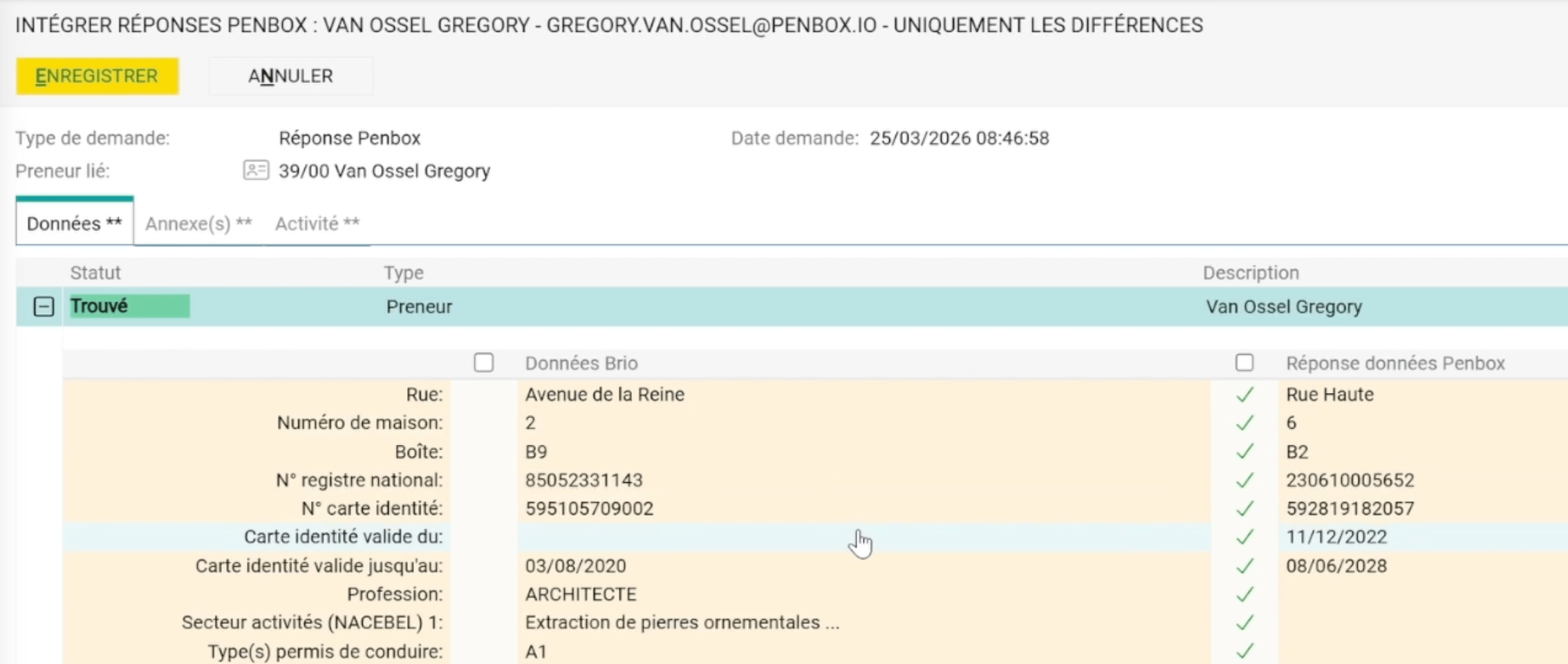
You’re done
You’ve sent a client-file update form from Brio to a client, and integrated their response back into the Brio record — keeping the client file current with no manual re-keying.What’s next?
Form Templates
Design the questionnaire clients fill in to update their file.
Form Notifications
Configure the invitation and reminders clients receive.