

1
Open Brio
Go to Brio.
2
Open your profile
Click on the profile icon (the person icon).
3
Go to Settings
Click “Signalétiques - Paramètres” / “Signaletiek - Parameters”.
4
Go to Settings
Click “Signalétiques - Paramètres” / “Signaletiek - Parameters”.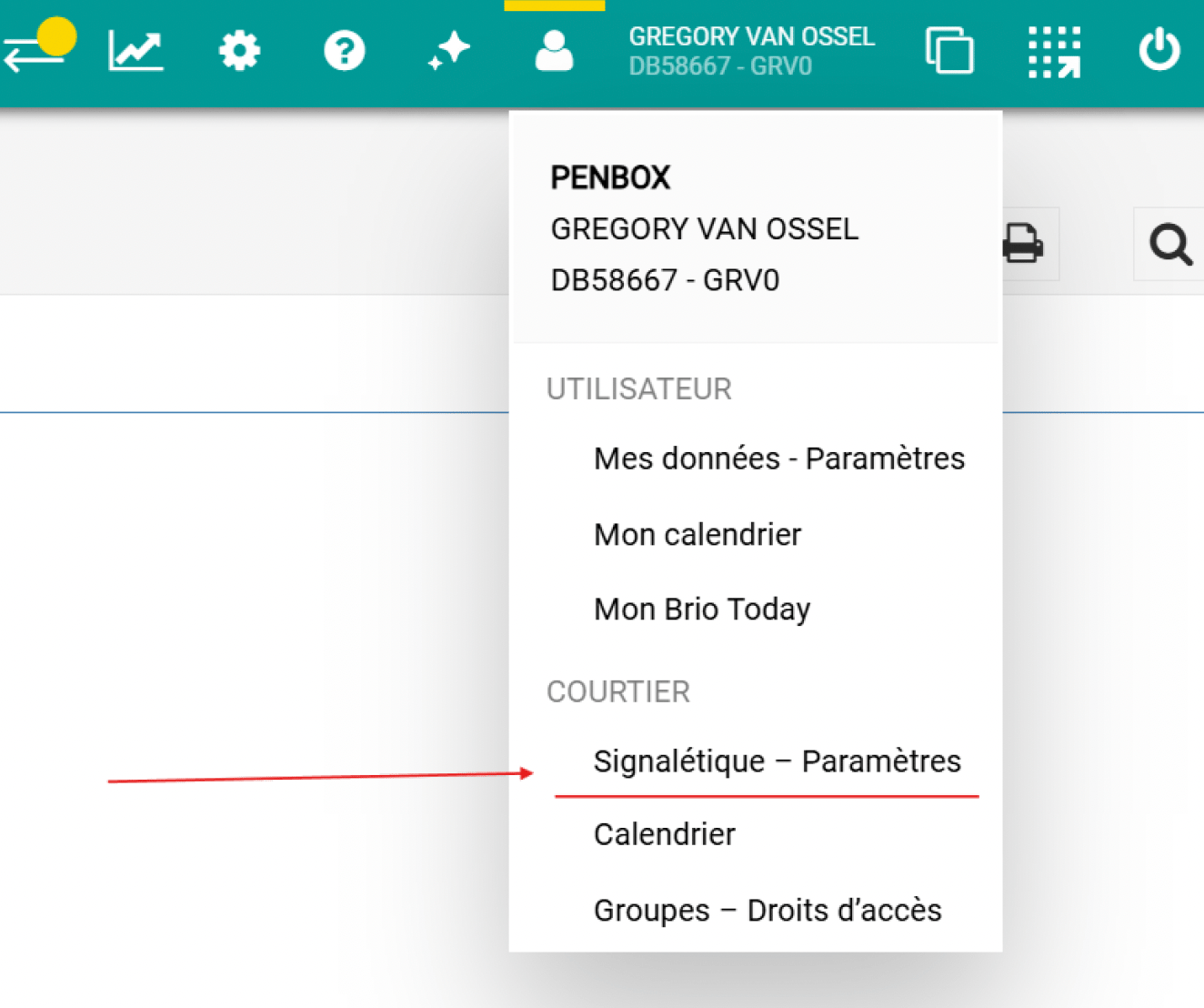
5
Open Broker suite data
Click “Données courtier suite” / “Makelaarsgegevens suite”.
6
Open Broker suite data
Click “Données courtier suite” / “Makelaarsgegevens suite”.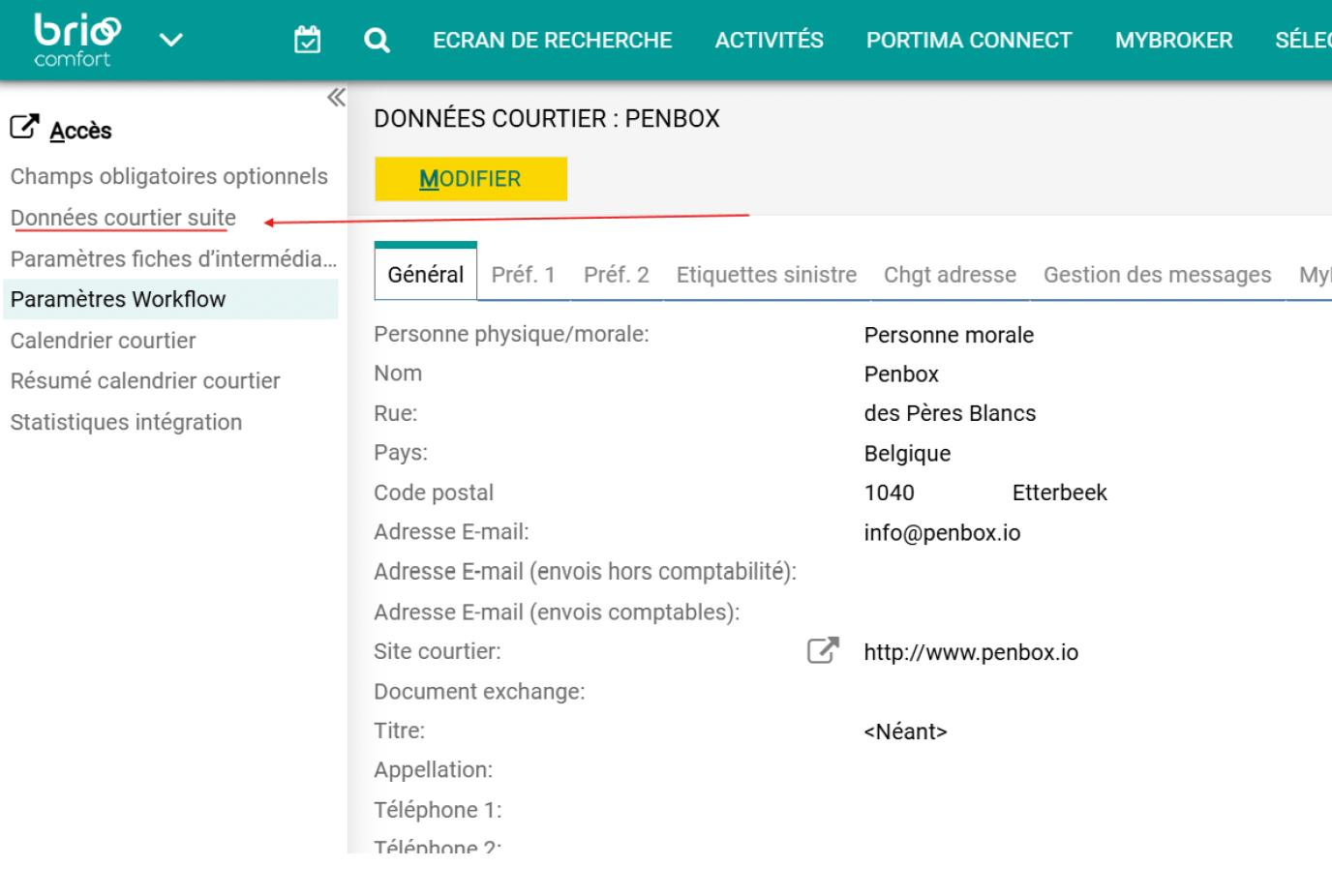
7
Deactivate Penbox
Click “Désactiver Penbox” / “Penbox deactiveren”.
8
Reactivate Penbox
Click “Activer Penbox” / “Penbox activeren”.
9
Reactivate Penbox
Click “Activer Penbox” / “Penbox activeren”.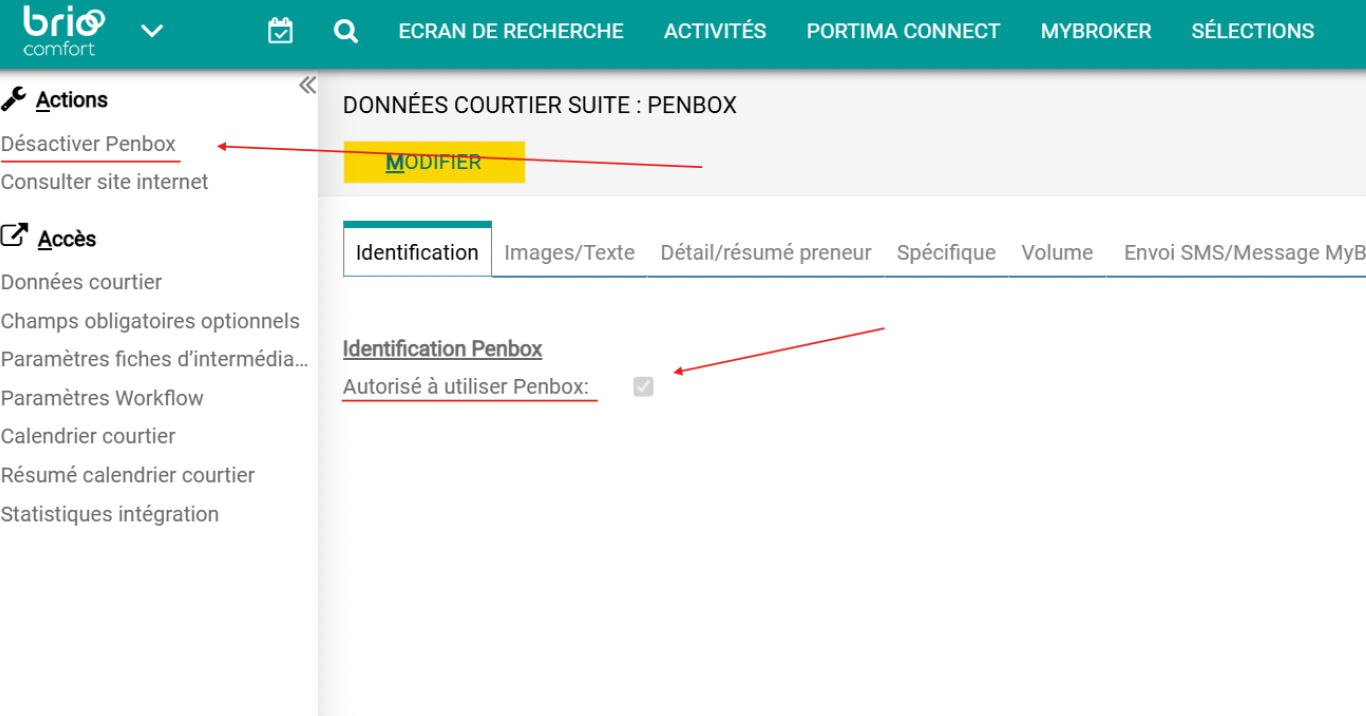
What’s next?
Send & receive a client update
Trigger a client-file update from Brio and import the response back.
Send a client update campaign
Send bulk client update requests using Brio export files and Penbox Campaigns.